
Resonance of Fate Enhanced Remaster Steam: What Players Need to Know
Finding information about a classic Japanese role-playing game on modern PC storefronts can sometimes feel like navigating a maze.
Finding information about a classic Japanese role-playing game on modern PC storefronts can sometimes feel like navigating a maze. For fans searching for a Resonance of Fate Enhanced Remaster Steam release, understanding the current availability, platform history, and alternative options is essential before opening your digital wallet.
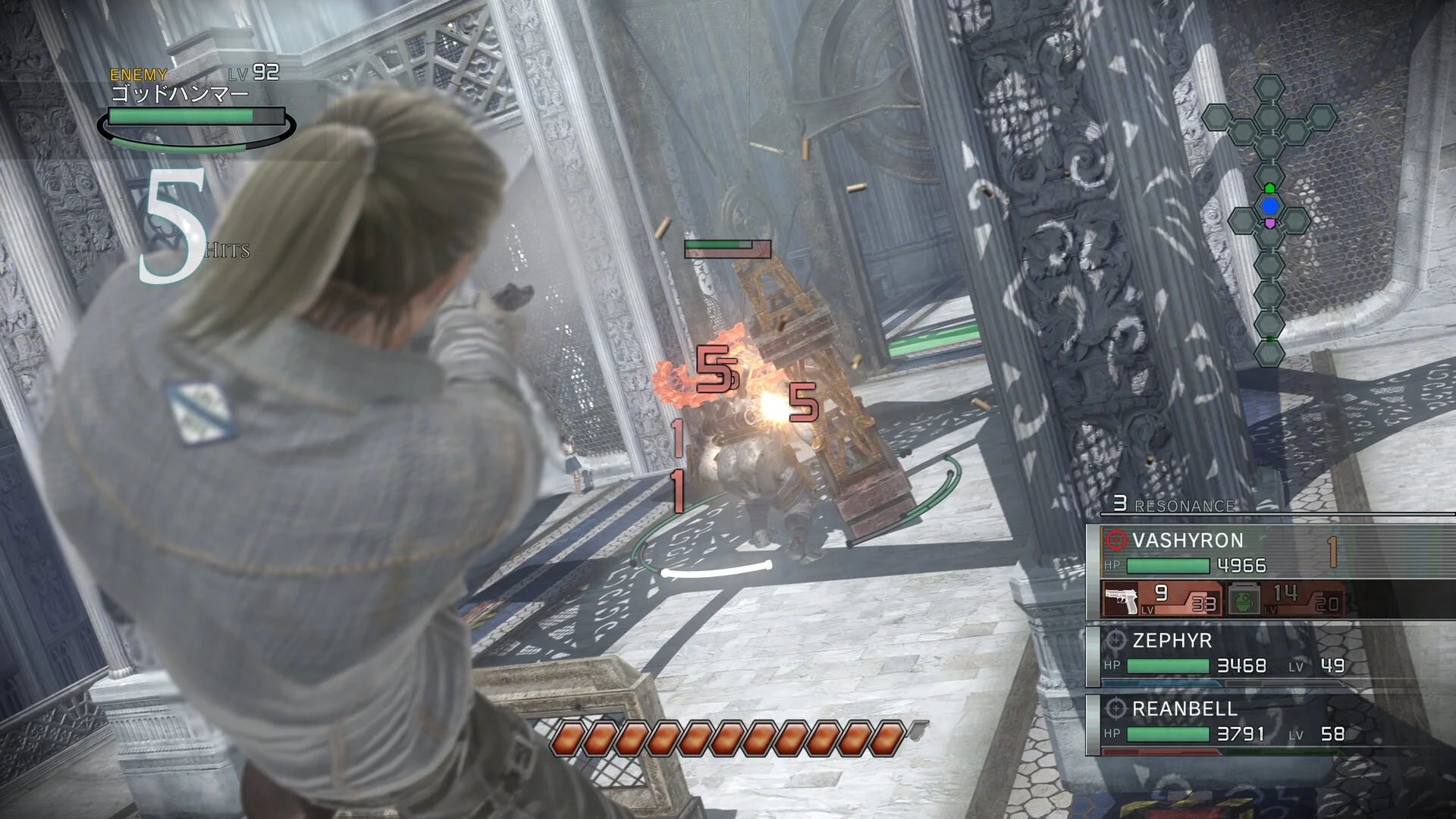
Originally developed by tri-Ace and published by Sega, Resonance of Fate (known as End of Eternity in Japan) carved out a unique niche upon its initial release due to its tactical, gun-heavy combat system, stylish post-apocalyptic steampunk aesthetic, and notoriously steep learning curve. Years later, a high-definition port breathed new life into the title, leaving many PC gamers wondering where, how, and if they can buy it through Steam.
The Current Steam Status of Resonance of Fate
When looking for Resonance of Fate on Valve's storefront, the first step is to perform a direct search within the Steam client or via a web browser.
- The PC Port History: Unlike many modern JRPGs that launch simultaneously across all platforms, Resonance of Fate took a unique path. While the original game launched on the PlayStation 3 and Xbox 360 in 2010, the high-definition version—marketed as Resonance of Fate 4K / HD Edition—arrived on PC via Steam in October 2018 alongside a PlayStation 4 release.
- Verifying Storefront Availability: Because digital publishing rights, music licensing agreements, and regional availability can occasionally shift, you should check the official Steam store page directly to confirm whether the title is currently active for purchase in your region. If the game's page appears with a standard purchase button, it is officially available for your account. If regional restrictions or temporary delistings apply, the page will typically display a specific notice regarding its availability status.
What to Expect from the PC Version
For players considering a purchase, knowing what the PC release entails helps ensure your hardware and expectations align with the software.
Performance and Visual Enhancements
The PC edition was designed to bring the 2010 cult classic up to modern display standards. Key technical features generally associated with this version include:
- Support for higher resolutions, including 4K displays.
- Unlocked framerates, allowing the game to run smoothly beyond the original console limitations, provided your PC hardware can handle it.
- Crisp UI elements and refined textures adapted for high-definition screens.
System Requirements Check
Before completing any purchase on Steam, it is always best practice to scroll to the bottom of the store page and review the official minimum and recommended system requirements. Compare these specifications against your PC's CPU, GPU, and available storage space to ensure a stable experience, especially given the game's heavy reliance on precise tactical positioning and smooth frame pacing during gunfights.
Alternative Platforms and Considerations
If you find that the game is temporarily unavailable on Steam or if you prefer exploring other ecosystems, it is worth checking alternative digital storefronts.
- PlayStation Ecosystem: The 4K / HD Edition is also available digitally on the PlayStation Network for PS4 (playable on PS5 via backward compatibility).
- Original Hardware: Copies of the original PS3 and Xbox 360 versions remain available on the used physical market, though these lack the higher-resolution upgrades found in the modern remaster.
Because digital storefront inventories can occasionally update without prior widespread announcements, verifying the exact current status directly on the official platform remains the most reliable method.
How to Verify Purchase Details Safely
If you are ready to look into purchasing the game, follow these practical steps to ensure you have accurate, up-to-date information:
- Open the Steam Client or Website: Log into your personal Steam account to ensure regional pricing and availability load correctly.
- Search for the Exact Title: Type "Resonance of Fate" into the search bar. Look for the official publisher-listed 4K / HD Edition to avoid confusion with unrelated software or community guides.
- Review User Reviews and Community Discussions: Take a brief look at recent user reviews on the store page. These often provide valuable, up-to-date insights from recent buyers regarding modern controller support, operating system compatibility (such as Windows 10 or Windows 11 performance), and stability patches.
- Check Refund Policies: Familiarize yourself with Steam’s standard digital refund policy. If you purchase the game and encounter unresolvable technical roadblocks on your specific PC configuration, knowing the playtime and ownership windows for eligible refunds provides a helpful safety net.
By taking these preliminary checks, you can make an informed decision and dive into one of the most mechanically distinct tactical RPGs of its era with confidence.
Next guides4
 Release
Resonance of Fate Enhanced Remaster Release Date: What We Know and What to Expect
PlatformsResonance of Fate Enhanced Remaster on PS5: What to Expect from tri-Ace's Cult Classic
PlatformsPlaying Resonance of Fate on the Steam Deck: Performance, Setup, and Compatibility
Platforms